How to Use Remee Sleep Mask
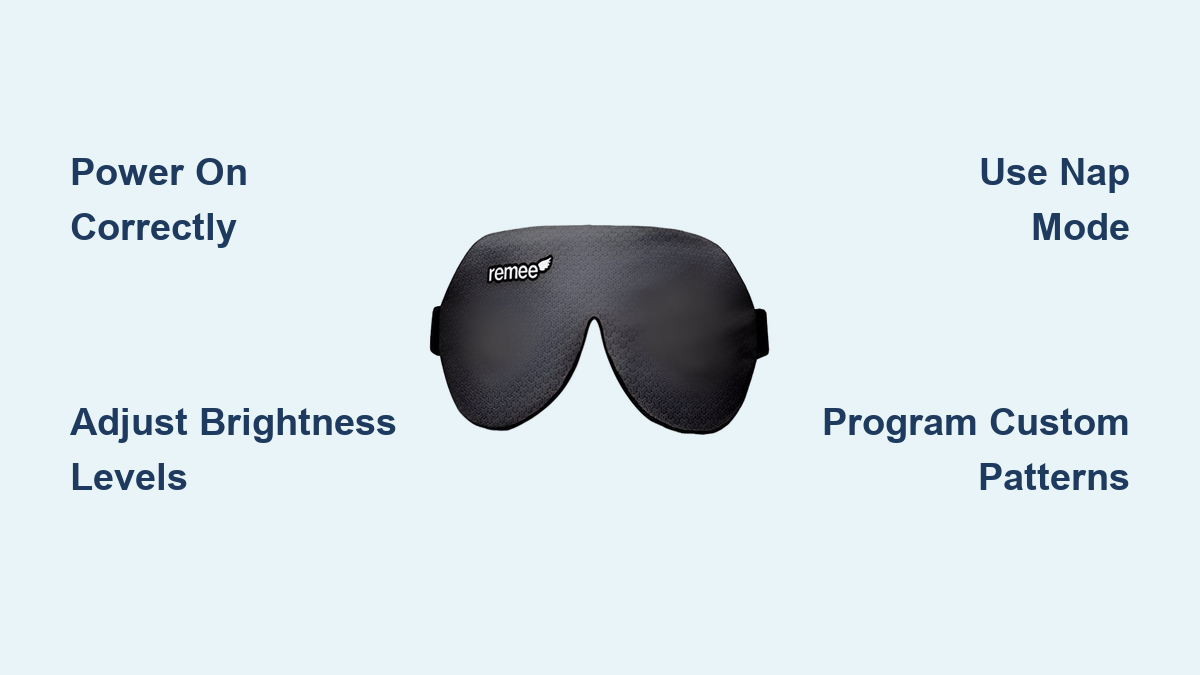
Achieving lucid dreams often feels out of reach until you discover how to use Remee sleep mask technology to your advantage. This lightweight device projects subtle light patterns directly onto your eyelids during REM cycles to trigger awareness without waking you up.
You will learn exactly how to power on the unit, calibrate brightness levels, and program custom light sequences using your computer. Follow these specific steps to transform your nightly rest into a conscious adventure.
Unbox and Inspect Remee Components
Proper setup begins before you ever wear the device. Taking time to verify all parts ensures reliable performance and prevents frustration during your first night of use.
Verify Included Contents
Open the non-taped side of the packaging to reveal the plastic envelope containing your mask. Inside you will find the Remee unit and a printed instruction sheet that many users overlook.
The front of this sheet offers quick-start steps while the back provides detailed programming guidance. Keep this physical reference handy since it works without needing a screen or battery power.
Examine Internal Hardware Layout
Lift the top Velcro pouch carefully to inspect the internal arrangement of components. You should see a centered circuit board with a replaceable battery seated securely in place.
Look for the dual light sensors located at the bottom of the unit and the power button situated between them. The mode button sits just below the Remee Wing logo and must remain accessible for operation.
Power On and Test Brightness Levels
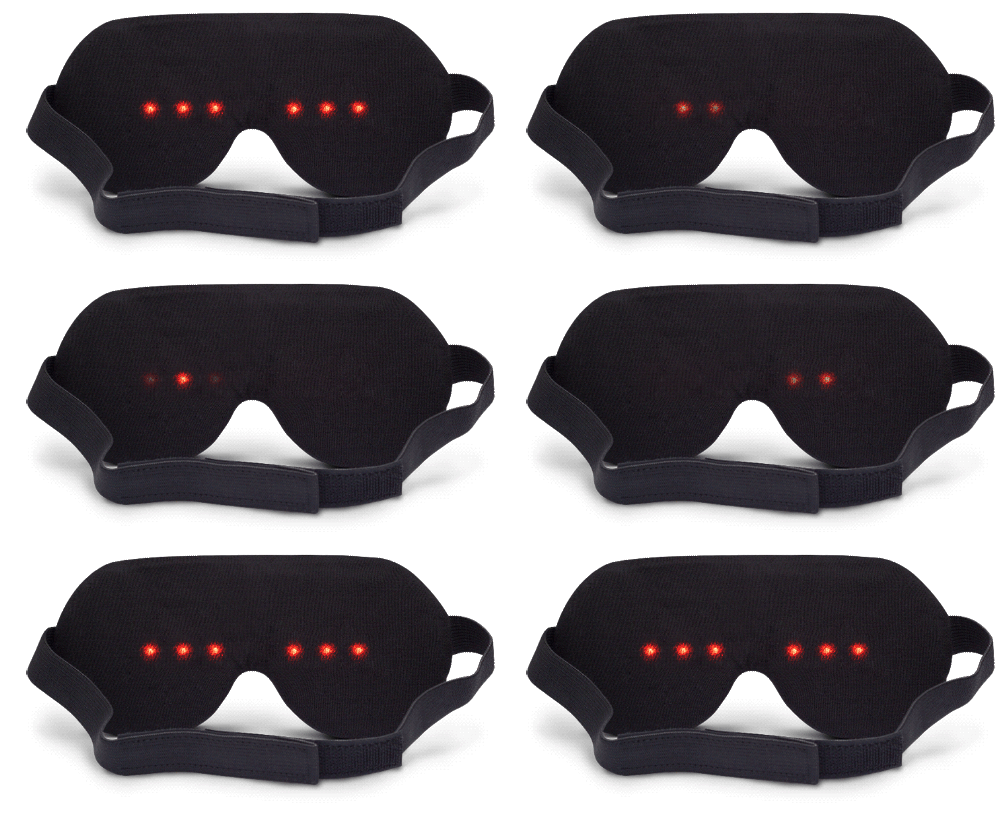
Correct power management is critical because the device enters hibernation after only 10 seconds of inactivity. Knowing how to activate and reset the unit avoids confusion during initial setup.
Activate the Device Properly
Slide the top switch to the left to power on the mask and watch for a smooth sweep of LED lights. If no lights appear check your battery installation or ensure the switch is fully engaged.
The device shuts down automatically after 10 seconds of no input to save power. You must power it off completely and then back on to wake it from this sleep state.
Adjust Light Intensity Settings
Press the front button to cycle through three distinct brightness settings indicated by lit LEDs. One light means dim output while two lights indicate medium intensity and three lights signal maximum brightness.
Test these settings while awake by putting on the mask and closing your eyes. The light should be noticeable but not so bright that it jars you awake or disrupts your sleep cycle.
Pro Tip: If you wake up with no memory of light signals increase brightness gradually over several nights until you detect them.
Switch Between Operating Modes
Remee offers three distinct modes tailored to different sleep patterns and durations. Using the correct mode aligns light cues with your specific REM cycles for better results.
Enter Nap Mode for Short Sleeps
Press and hold the front button for 3 seconds to activate Nap Mode for short rests or nighttime awakenings. The indicator lights will flash once to confirm the device has switched modes successfully.
This mode shortens the delay before cueing begins to catch early REM phases common in brief sleeps. It is essential when you wake during the night and want to return to a lucid state quickly.
Trigger Pattern Display Mode
Press the secondary button below the Remee Wing logo to preview current settings without starting a full session. This feature shows the active blink pattern such as alternating flashes so you can verify configuration.
Use this function before bed to ensure your custom patterns are loaded correctly. It saves you from waking up confused about whether the device is working as intended.
Prepare for Programming Mode
Hold the front button for 7 seconds after powering on the mask to enter Programming Mode. The lights will blink twice on the left side to indicate the device is ready for software updates.
Do not skip this step because programming will fail if the mask is not in the correct state. Always ensure the device displays the double blink signal before attempting to update settings.
Warning: After missing a cue or waking up always power off and restart the device since it does not auto-reset.
Program Custom Light Patterns

The true power of this device lies in customization through the free online tool. You can tailor light cues to match your personal sensitivity and unique sleep rhythm.
Access the Online Programming Tool
Navigate to sleepwithremy.com using any modern browser like Chrome Firefox or Safari. No app download is required since the entire interface runs directly in your web browser.
The dashboard allows you to adjust brightness select blink patterns and modify signal duration. Changes persist indefinitely until you decide to reprogram the device again.
Align Sensors for Software Update
Open the top Velcro flap and position the two light sensors directly over the squares on your screen. Place the mask as close to the monitor as possible and click the Update button on the website.
The screen will dim and flash in sync with the sensors while the device processes the new data. Wait for the full LED sweep across the mask which confirms a successful upload.
Expert Note: Perform updates in a dark room because ambient light can interfere with sensor detection and cause failed uploads.
Optimize for Nightly Sleep Cycles

Consistency is key when training your brain for lucid dreaming. Proper nightly use of the Remee accelerates the process and helps establish a reliable routine.
Wear Correctly for Stability
Place the adjustable headband around your head with the electronics resting comfortably on your forehead. Slide the band under your ears and use the ear-tip guide to lock the position in place.
Tighten the band gently so it feels snug but not tight against your skin. This prevents slipping during sleep and keeps the lights aligned perfectly with your closed eyelids.
Start With Standard Sleep Mode
For regular overnight use simply power on the mask and go to sleep immediately without changing modes. The internal timer begins cueing lights approximately 2 hours into sleep to align with your first major REM cycle.
Cues repeat every 30 to 60 minutes throughout the night to maximize opportunities for lucidity. This standard mode works best for full night sleep sessions.
Enhance Results With Nap Mode
Napping or waking mid-sleep boosts REM density and creates perfect conditions for lucid dreams. Using Nap Mode strategically increases your chances of success significantly.
Use Nap Mode After Waking
If you wake up during the night power off the mask and then turn it back on. Hold the front button for 3 seconds to enter Nap Mode before returning to sleep.
This resets the cue schedule to begin sooner matching the compressed REM windows typical in later sleep phases. It ensures you do not miss the next opportunity for a lucid dream.
Try Daytime Naps
Afternoon naps often include rapid entry into REM sleep making them ideal for training. Use Nap Mode to increase cue frequency and practice reality checks upon waking.
Many users report their first lucid dreams during naps due to stronger signal recognition in shorter cycles. This method helps build confidence before attempting full night sessions.
Troubleshoot Common Issues

Even well-set-up devices encounter hiccups that can frustrate new users. Knowing how to fix common problems keeps your lucid dreaming journey on track.
Fix Unresponsive Device
If buttons do nothing the device is likely in hibernation after 10 seconds of inactivity. Slide the power switch off wait 2 seconds and then turn it back on to reactivate.
Never assume the battery is dead because most unresponsive units are simply in sleep mode. This simple reset resolves the majority of operational issues.
Resolve Missing Light Cues
If you do not perceive signals test brightness with eyes closed while awake. Increase to medium or high settings and reprogram if the pattern seems incorrect.
Some users initially miss cues because they are too subtle for their sensitivity level. Gradually increase intensity until you notice flashes upon waking.
Recover Failed Programming
If an update fails confirm the device is in Programming Mode with two left blinks. Reduce ambient light align sensors precisely with on-screen squares and try a different browser.
Rebooting the system and retrying usually resolves sync issues during the upload process. Patience during this step ensures your custom settings load correctly.
Maintain Long-Term Performance
With proper care Remee can last for years of nightly use. Simple maintenance prevents wear and ensures reliable cue delivery for every session.
Replace Battery When Needed
Use a standard CR2032 coin cell battery when the device stops holding a charge. Open the Velcro pouch remove the old battery and insert the new one with the positive side up.
Battery life varies by usage but typically lasts several months with nightly use. Closing the pouch securely protects the internal components from dust and damage.
Clean and Store Properly
Wipe the eye cushion with a dry or slightly damp cloth after each use. Avoid alcohol-based cleaners and store the mask in a cool dry place away from direct sunlight.
Do not fold or compress the electronics section of the mask. Keep the device flat or loosely rolled to prevent damage to the internal circuit board.
Frequently Asked Questions About Remee Sleep Mask
How long does the Remee battery last?
The replaceable CR2032 battery typically lasts several months with nightly use. Usage frequency and brightness settings affect overall battery life significantly.
Can I use Remee if I wear glasses?
The slim design accommodates most users but glasses may interfere with the fit. It is best to remove glasses before wearing the mask for optimal comfort.
What if I do not feel the light cues?
Increase the brightness setting gradually until you notice the flashes while awake. Some users require maximum brightness to perceive cues during deep sleep.
Does Remee work for every sleep cycle?
The device targets REM cycles which occur multiple times per night. Standard mode waits about 2 hours before starting cues to align with natural sleep patterns.
Can I program Remee without a computer?
No the device requires a computer screen for the initial programming process. You must use the online tool at sleepwithremy.com to customize settings.
Key Takeaways for Using Remee Sleep Mask
Mastering how to use Remee sleep mask requires proper setup consistent practice and strategic mode selection. You must calibrate brightness carefully and use Nap Mode when waking mid-sleep to maximize lucid dream opportunities.
Start tonight by powering on your device testing brightness levels and setting a clear intention. With patience and the right technique the lights will guide you into your first conscious dream.